Analytics
Sentiment and Subjects
What each conversation is about and how people feel: contextual scores, source messages, and historical review.
How scoring works
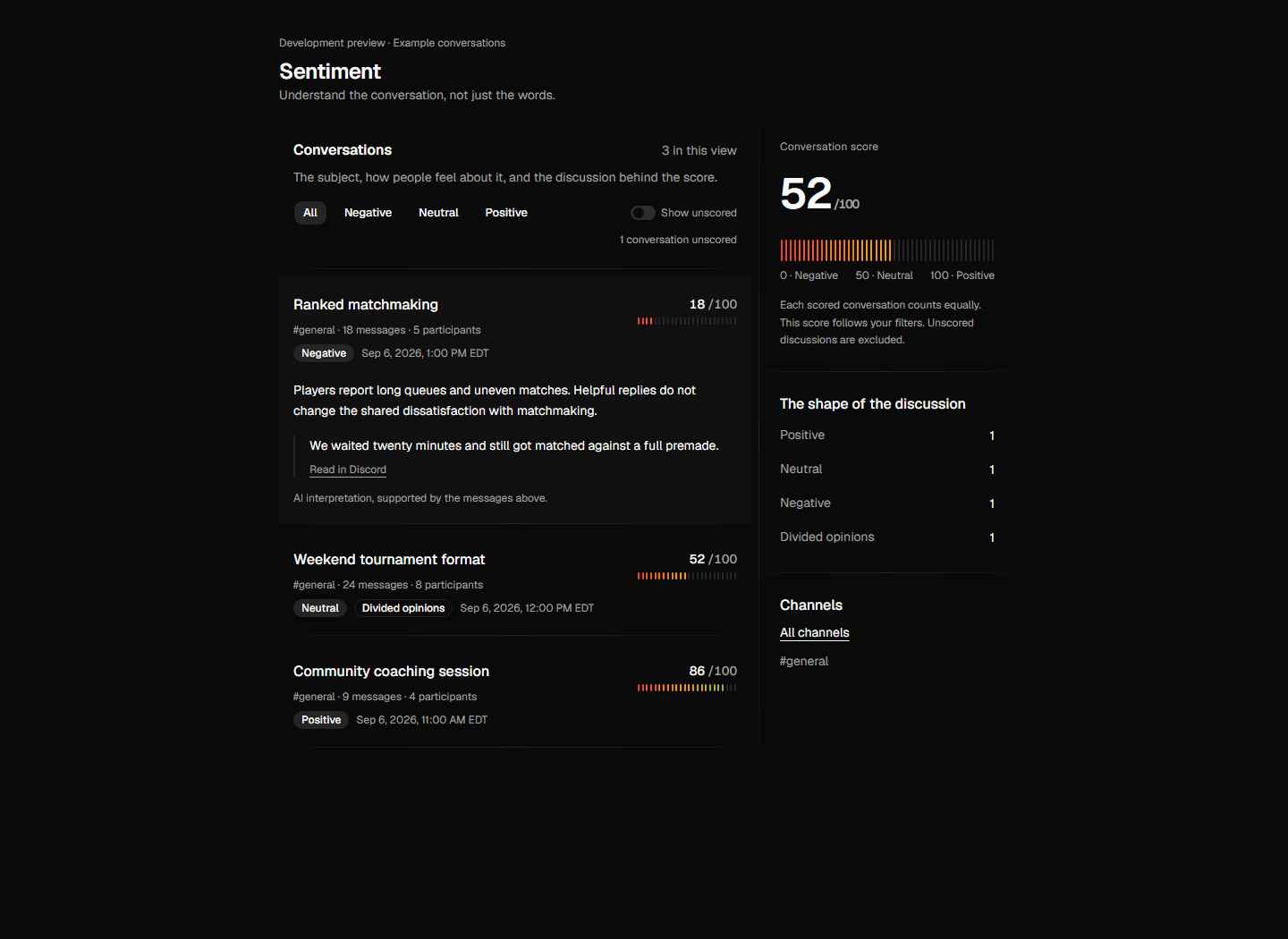
Conversation sentiment identifies the subject of each discussion and scores how participants feel about it. Replies, context, and different participants help separate discussions happening in the same channel. Each scored conversation counts equally in the headline score.
Scores read from 0 to 100: 0 through 29 is Negative, 30 through 69 is Neutral, and 70 through 100 is Positive. Divided opinions are flagged separately, so disagreement is not mistaken for indifference.
The scoring understands community language. Fan-speak like "this is insane" or a wall of caps usually means excitement, not anger, and sarcasm is read in context. Commands and meaningless noise are skipped, while short replies and emoji can carry meaning in a discussion.
Note
The Sentiment page and filters
Each row shows a subject, score, channel, message count, and participant count. Expand it to read the explanation and supporting messages. Use the date range, channel links, and sentiment filters to narrow the list. The score and counts follow those same filters. Unscored conversations are hidden by default. Turn on Show unscored beside the sentiment filters to include them.
Note
Conversation and message times
Sentiment and Subjects show conversation activity, detection times and message timestamps in your profile's saved timezone. Change it in Profile details to update the times across these views.
Note
Historical conversations
You can still inspect earlier message analytics here. Historical conversation evaluation is a separate import workflow: fetch selected Discord channels, replay messages in chronological order, and review the resulting conversation report.
Note
Cited examples
Every qualitative claim is citable. The examples card keeps the strongest positive and negative messages from the range as short excerpts, each linked to the real message in Discord. If the page says people are unhappy, you can click through and read exactly who said what, in context.
The loud minority check
A wave of negativity reads very differently depending on how many people it's coming from. The loud minority check compares how many distinct members wrote the negative messages against how many members were scored at all. A few voices producing a large share of the negativity gets called out as concentrated; otherwise the verdict is that the mood is broad-based.
Tuning the scorer
Every server has its own language. Words that read as hostile elsewhere can be friendly banter in yours, and routine venting can be mistaken for a real complaint. A tuning rule is a phrase or behavior in your server's words, plus your choice of how it should read: positive, neutral, or negative. Write "gg ez after a match" and mark it positive, or "complaints about queue times" and mark it neutral. Up to 10 rules, one line each.
The playground compares individual message scores with and without your rules. It uses the earlier message scorer; conversation scores also depend on the surrounding discussion. Saved rules apply to future conversation assessments.
Note
Subject grouping and search
Subjects are detected from whole conversations. Discussions about the same subject can appear in different channels or use different wording. Popular subjects are ranked by conversation count in your selected date range. Search by subject name, description or discussion title, then open a card to explore its score and source messages.
Note

Note
Subject details and sentiment
Each subject has message count, unique users involved, times detected and channel count. One detection means one conversation. Users who participate in several conversations count once. The subject summary defines the subject and highlights the latest three discussions. The sentiment summary describes the score and the balance of positive, neutral, negative and divided conversations.
Expand a conversation to read separate discussion and sentiment summaries, jump to its first message in Discord, or filter the message list to that conversation. The chronological list contains every indexed message, with pagination. You can switch back to all conversations at any time. All displayed times use your profile's saved timezone.
Note

Trending topics
Note
While scoring, the AI also tags messages with short topic labels. Topics that keep coming up (at least 5 mentions) and aren't already covered by one of your subjects appear as suggestions, with their volume and mood. Press Track to promote a suggestion into a tracked subject in one click.
Click a topic to open the messages behind it: real excerpts with their score, channel, and age, each linking straight to the message in Discord.
Note
Privacy, retention and limits
Conversation processing keeps queued message content for up to seven days and clears working context after 24 inactive hours. Conversation assessments and selected source excerpts expire after 90 days. Author IDs provide context; usernames are not sent to the model.
Note