Moderation
Appeals
Give punished members a structured way back: custom forms, a public portal, and a clean review flow.
How appeals work
When a member is punished, their DM includes a signed, single-purpose appeal link. It opens a public portal (no Metryx account needed) where they verify with their Discord login, so you know it's really them, and fill out your appeal form. The submission lands in your dashboard for review.
What can be appealed
You decide which punishments come with an appeal link. Bans are always appealable. Softbans, kicks, mutes and warns are up to you, and are off until you turn them on. A member only sees the appeal link in their DM if you have checked that action here.
Pick an appeal channel in the same place and your team gets a Discord post the moment an appeal arrives, with a link straight to it. Leave it empty and appeals post to your mod log channel instead. The Appeals page shows your current setup at the top, so you can see what is turned on without leaving the queue.
Important
The form builder
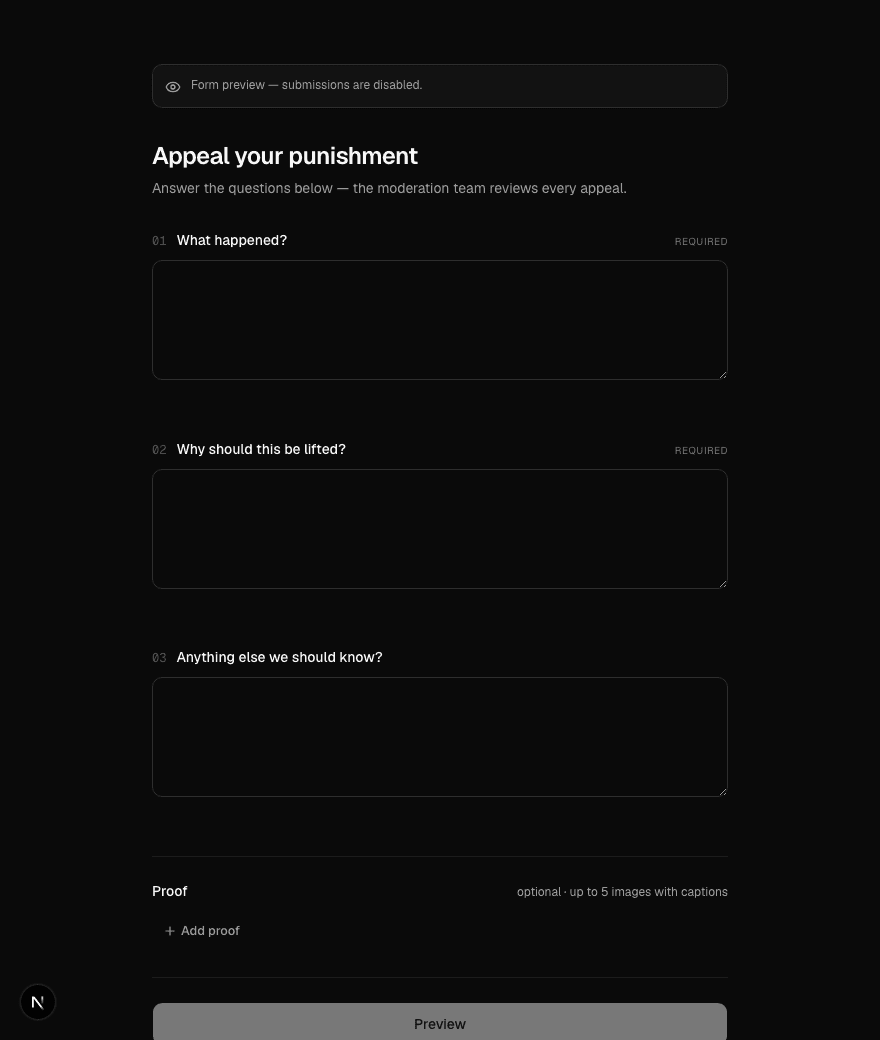
Appeal forms are yours to design. Build separate forms per action type, write your own questions, add multiple-choice cards, and set the page title and description the member sees. A live preview shows the exact member view before you publish anything.
The public portal
The portal is built for someone on a phone who just got banned: numbered questions, one clear flow, and image proof uploads that compress on the phone so a screenshot doesn't fail on file size.
After submitting, the member gets a status page they can come back to. That page is the authoritative answer to "where is my appeal", which saves your mod team a lot of DMs.
Reviewing appeals
Appeals arrive in a table on the moderation dashboard, and each one reviews on its case page, with the appeal answers sitting right next to the full case history. Context first, then the decision.
Important
Decision delivery
Decisions reach the member everywhere they might look: a DM, the portal status page, and an email if they left one after submitting. Approved ban appeals include a fresh invite link back to the server.